


The 4K newbie thread.
 01-04-26 | 07:14 AM
#76

Thread Starter
TOTY Winner 2018 and Inane Thread Master
Joined: Dec 2003
Posts: 54,143
Received 1,728 Likes
on
1,416 Posts
From: "Are any of us really anywhere?"
Re: The 4K newbie thread.
And…we have Dolby Atmos!! Just put it all together after getting the cables and hdmi switch and everything works perfectly!!
The only thing I don’t get is how do I know it’s emitting Atmos when Blu-ray player still says Dolby True HD 7.1 in display? Is that normal or did I still not set up correctly? I want it to display on Blu-ray player “Atmos”. Does that not happen? I have hdmi cable from soundbar to hdmi (eARC). Maybe I didn’t do it.
The only thing I don’t get is how do I know it’s emitting Atmos when Blu-ray player still says Dolby True HD 7.1 in display? Is that normal or did I still not set up correctly? I want it to display on Blu-ray player “Atmos”. Does that not happen? I have hdmi cable from soundbar to hdmi (eARC). Maybe I didn’t do it.
Last edited by OldBoy; 01-04-26 at 07:21 AM.

The following users liked this post:
PhantomStranger (01-04-26)
01-04-26 | 07:20 AM
#77
DVD Talk Legend
Re: The 4K newbie thread.
 01-04-26 | 07:37 AM
#78
Thread Starter
TOTY Winner 2018 and Inane Thread Master
Joined: Dec 2003
Posts: 54,143
Received 1,728 Likes
on
1,416 Posts
From: "Are any of us really anywhere?"
Re: The 4K newbie thread.
^ but did i do it right?
01-04-26 | 08:01 AM
#79
DVD Talk Legend
Re: The 4K newbie thread.
^ I don't know... you edited the post after I sent the rejoicing. 

I'd have to throw a disc in and see what the player on-screen display says.
I'd have to throw a disc in and see what the player on-screen display says.
01-04-26 | 08:42 AM
#80
Thread Starter
TOTY Winner 2018 and Inane Thread Master
Joined: Dec 2003
Posts: 54,143
Received 1,728 Likes
on
1,416 Posts
From: "Are any of us really anywhere?"
Re: The 4K newbie thread.
eh, either way, it's all hooked up correctly. all the inputs, including the switcher works and i am a happy camper. thanks again to all!
01-04-26 | 09:56 AM
#81
Re: The 4K newbie thread.
Don't get hung up on what the Blu-ray player info is saying. I don't know about your Sony, but it's not uncommon for players to only display TrueHD. I don't know why, but that's just the way it is.
What you really need to do is figure out how to show the audio format going to the soundbar in the Bose app. I know you said that it wasn't there, but everything I see online suggests otherwise.
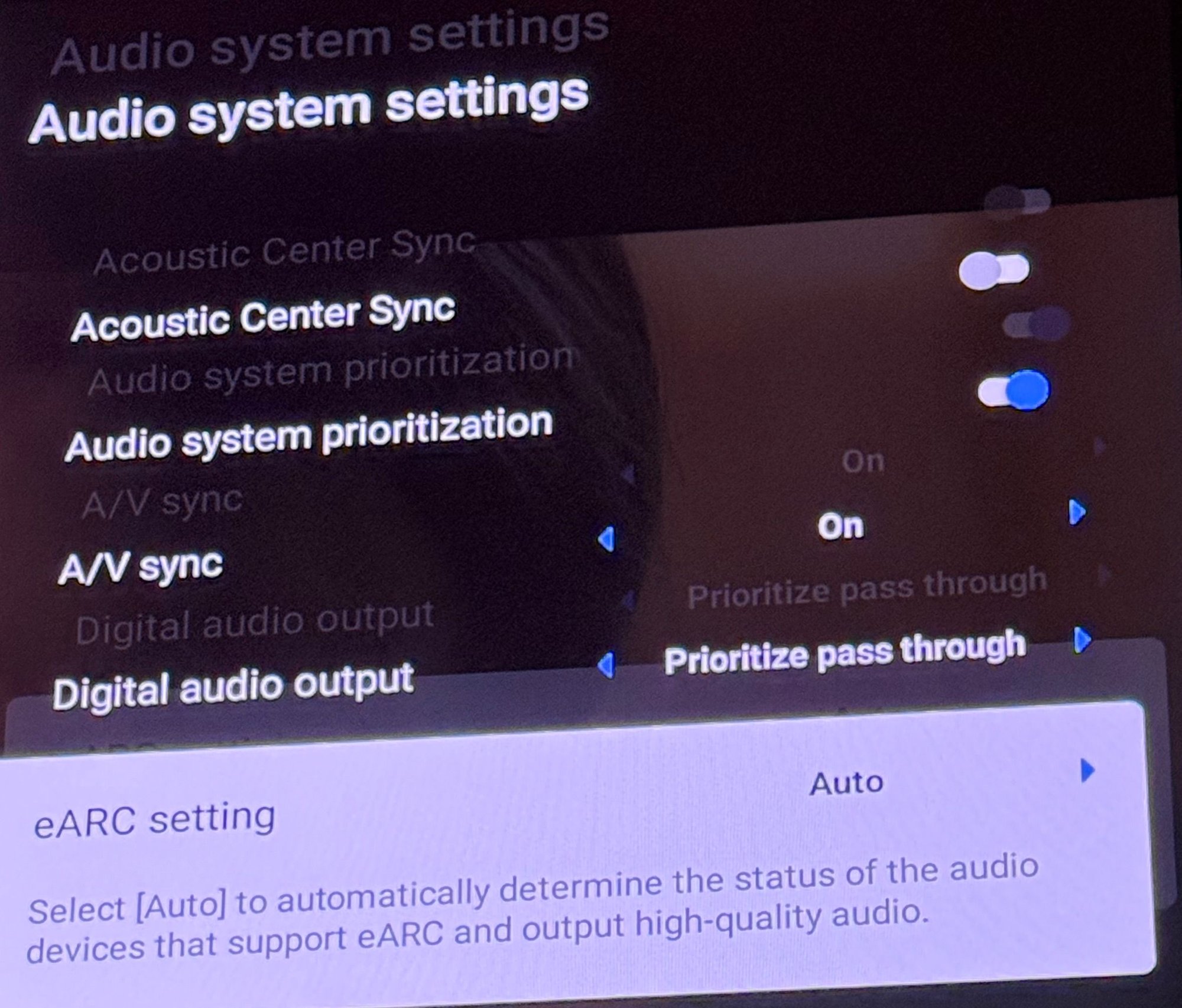
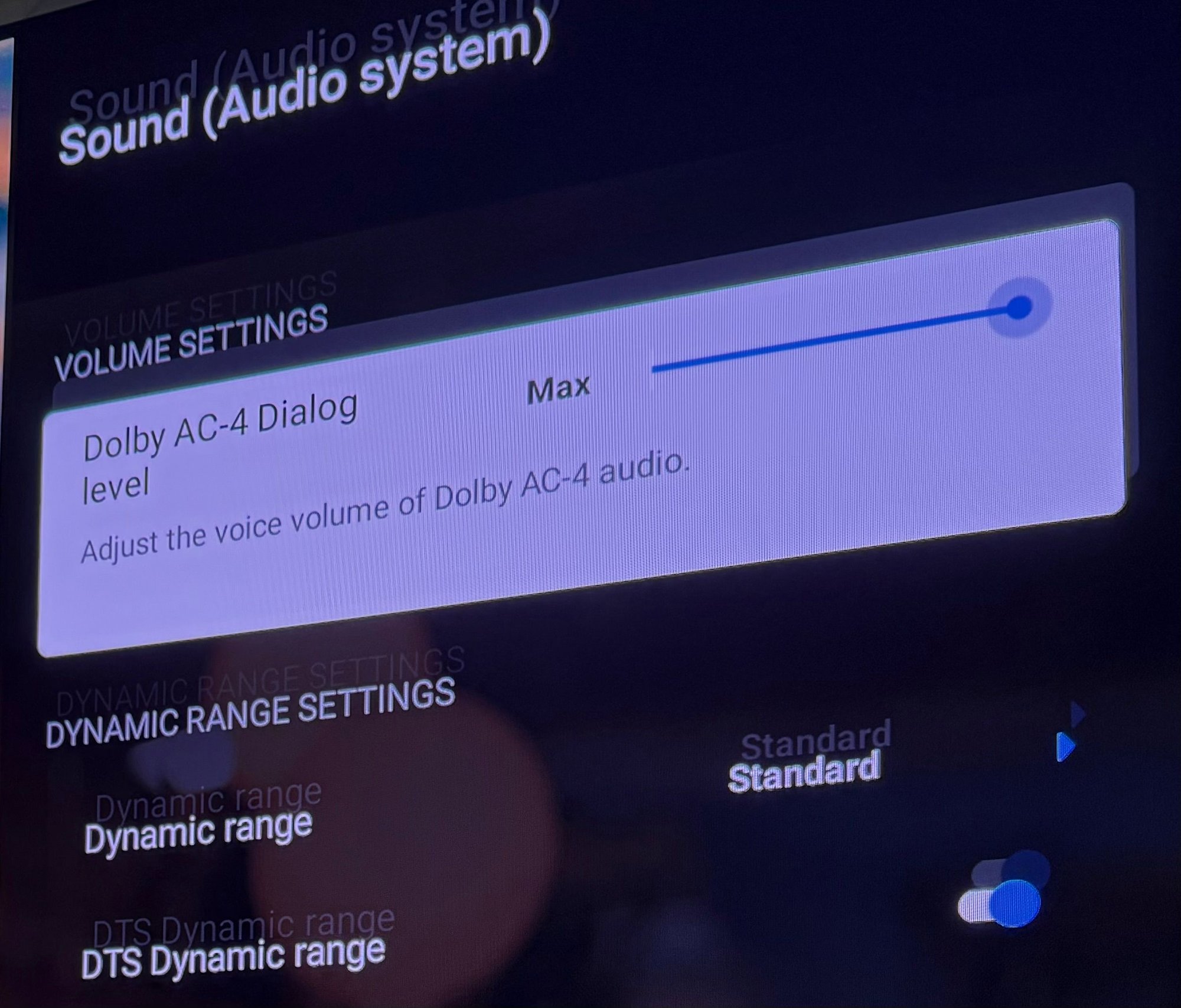
The only other thing to do is make sure that the audio passthrough settings on your tv are correct. Since your Blu-ray player is sending the Atmos signal to your soundbar via your tv, you need to make sure that the TV is sending the correct signal. (That's assuming your tv is even capable of passing through Atmos in this manner. I *think* it is, but if not, then all of this is moot.)
What you really need to do is figure out how to show the audio format going to the soundbar in the Bose app. I know you said that it wasn't there, but everything I see online suggests otherwise.
The only other thing to do is make sure that the audio passthrough settings on your tv are correct. Since your Blu-ray player is sending the Atmos signal to your soundbar via your tv, you need to make sure that the TV is sending the correct signal. (That's assuming your tv is even capable of passing through Atmos in this manner. I *think* it is, but if not, then all of this is moot.)
The following users liked this post:
OldBoy (01-04-26)
01-04-26 | 09:59 AM
#82
Thread Starter
TOTY Winner 2018 and Inane Thread Master
Joined: Dec 2003
Posts: 54,143
Received 1,728 Likes
on
1,416 Posts
From: "Are any of us really anywhere?"
Re: The 4K newbie thread.
Don't get hung up on what the Blu-ray player info is saying. I don't know about your Sony, but it's not uncommon for players to only display TrueHD. I don't know why, but that's just the way it is.
What you really need to do is figure out how to show the audio format going to the soundbar in the Bose app. I know you said that it wasn't there, but everything I see online suggests otherwise.
The only other thing to do is make sure that the audio passthrough settings on your tv are correct. Since your Blu-ray player is sending the Atmos signal to your soundbar via your tv, you need to make sure that the TV is sending the correct signal. (That's assuming your tv is even capable of passing through Atmos in this manner. I *think* it is, but if not, then all of this is moot.)
What you really need to do is figure out how to show the audio format going to the soundbar in the Bose app. I know you said that it wasn't there, but everything I see online suggests otherwise.
The only other thing to do is make sure that the audio passthrough settings on your tv are correct. Since your Blu-ray player is sending the Atmos signal to your soundbar via your tv, you need to make sure that the TV is sending the correct signal. (That's assuming your tv is even capable of passing through Atmos in this manner. I *think* it is, but if not, then all of this is moot.)
01-04-26 | 10:04 AM
#83
Thread Starter
TOTY Winner 2018 and Inane Thread Master
Joined: Dec 2003
Posts: 54,143
Received 1,728 Likes
on
1,416 Posts
From: "Are any of us really anywhere?"
Re: The 4K newbie thread.
 01-04-26 | 11:07 AM
#84

DVD Talk Hero
01-05-26 | 08:18 AM
#86
Thread Starter
TOTY Winner 2018 and Inane Thread Master
Joined: Dec 2003
Posts: 54,143
Received 1,728 Likes
on
1,416 Posts
From: "Are any of us really anywhere?"
Re: The 4K newbie thread.
can you connect a cable box to fire tv cube via USB-A cable bc that is the only slot left on fire tv and cable box does have a USB-A port? my Fire TV cube won't change cable channels anymore since the Alexa+ went into effect. i set up equipment again and again and it won't respond. when i ask it to change channels on cable it automatically switches to Fire TV input and goes to some random channel in Alexa land. they say connect it via HDMI cables but both are taken on cube and cable box, so i thought USB-A to USB-A would work? Can anyone help with this, please? thanks so much in advance.
Last edited by OldBoy; 01-05-26 at 08:27 AM.
01-05-26 | 08:28 AM
#87
DVD Talk Legend
Re: The 4K newbie thread.
A lot of times those USB ports on cable boxes are just for updating the box itself. I don't see it doing what you want it to do.
The following users liked this post:
OldBoy (01-05-26)
01-05-26 | 08:33 AM
#88
Thread Starter
TOTY Winner 2018 and Inane Thread Master
Joined: Dec 2003
Posts: 54,143
Received 1,728 Likes
on
1,416 Posts
From: "Are any of us really anywhere?"
Re: The 4K newbie thread.
i figured i was just grasping at straws but i don't know what else to do. it's so annoying not being able to call out my cable channel and have it do what it does and ultimately not changing my cable channels. thanks again Mh.
01-05-26 | 05:42 PM
#89
Thread Starter
TOTY Winner 2018 and Inane Thread Master
Joined: Dec 2003
Posts: 54,143
Received 1,728 Likes
on
1,416 Posts
From: "Are any of us really anywhere?"
Re: The 4K newbie thread.
What’s HVEC?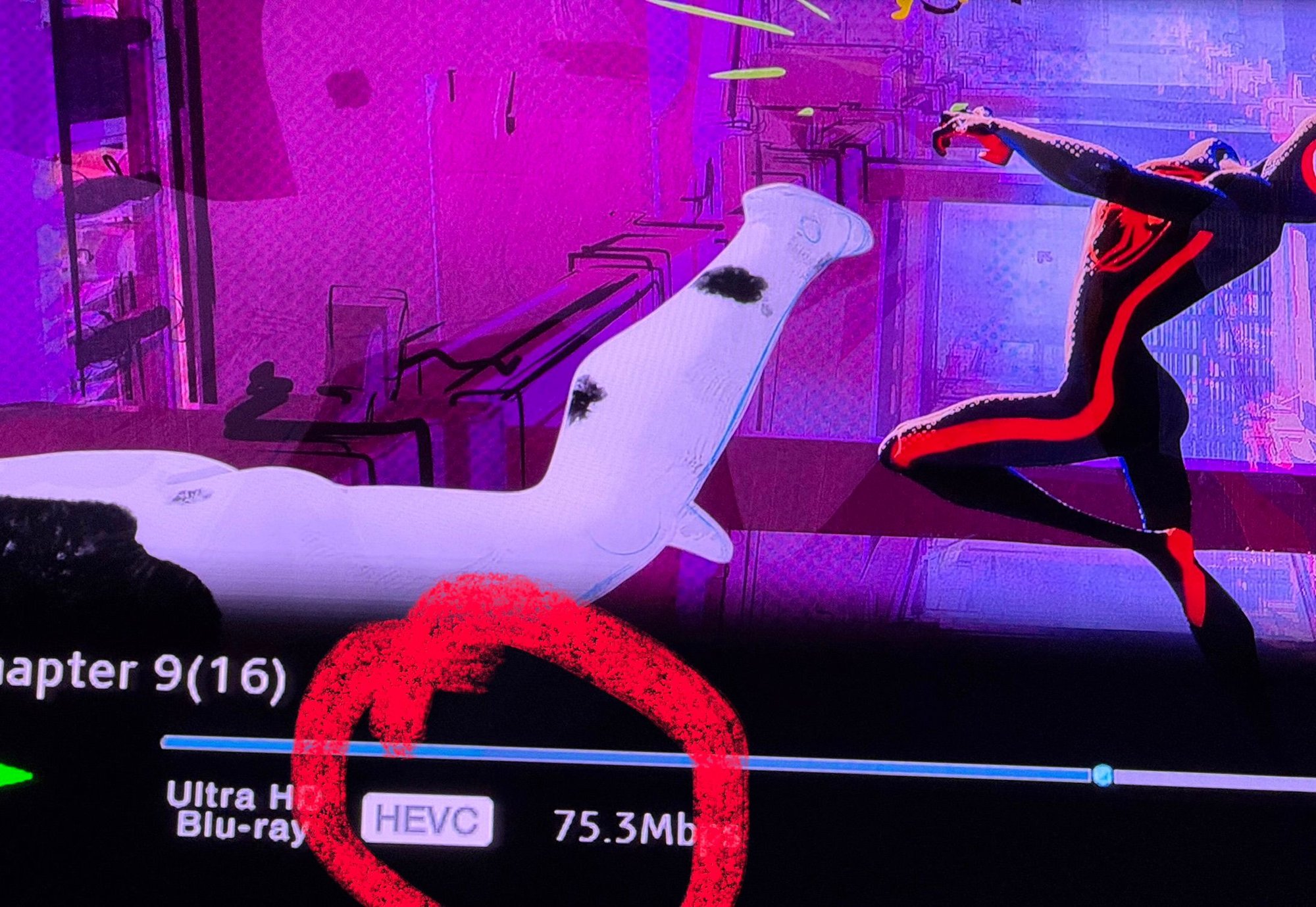
01-05-26 | 05:49 PM
#90
Thread Starter
TOTY Winner 2018 and Inane Thread Master
Joined: Dec 2003
Posts: 54,143
Received 1,728 Likes
on
1,416 Posts
From: "Are any of us really anywhere?"
Re: The 4K newbie thread.
Only minor annoyance is that since I have fire cube and 4K player on switcher, when it goes to that hdmi port and kinda flickers the Blu-ray player, making it go on all the time, but as I said, minor gripe that I can deal with.
btw…the base on my Bose subwoofer makes this Across the Spider-Verse go through you. It’s awesome!
Last edited by OldBoy; 01-05-26 at 05:54 PM.
01-05-26 | 06:12 PM
#91

DVD Talk Hero
The following users liked this post:
OldBoy (01-05-26)
01-05-26 | 08:33 PM
#92

Re: The 4K newbie thread.
Heckle and Jeckle, created it.
01-06-26 | 08:24 AM
#93
Thread Starter
TOTY Winner 2018 and Inane Thread Master
Joined: Dec 2003
Posts: 54,143
Received 1,728 Likes
on
1,416 Posts
From: "Are any of us really anywhere?"
Re: The 4K newbie thread.
So, I have a switcher for my Fire TV cube and 4K player on the switch. I had to do that so the soundbar HDMI could be used in the tv HDMI port. Thus, i have two devices now on this switcher. Whenever i switch to Fire TV cube, it goes there, but it will also quickly flicker to the 4K player and then back to Fire TV in mere seconds. The problem with this is, it turns my Sony player on automatically when the switch is switched. Is there any fix for this so the Fire TV cube won't switch to player automatically and then back again? Thanks in advance.
01-06-26 | 08:44 AM
#94
Re: The 4K newbie thread.
So, I have a switcher for my Fire TV cube and 4K player on the switch. I had to do that so the soundbar HDMI could be used in the tv HDMI port. Thus, i have two devices now on this switcher. Whenever i switch to Fire TV cube, it goes there, but it will also quickly flicker to the 4K player and then back to Fire TV in mere seconds. The problem with this is, it turns my Sony player on automatically when the switch is switched. Is there any fix for this so the Fire TV cube won't switch to player automatically and then back again? Thanks in advance.
The following users liked this post:
OldBoy (01-06-26)
01-06-26 | 10:31 AM
#95
Thread Starter
TOTY Winner 2018 and Inane Thread Master
Joined: Dec 2003
Posts: 54,143
Received 1,728 Likes
on
1,416 Posts
From: "Are any of us really anywhere?"
Re: The 4K newbie thread.
u did it again rocket! thank you. i saw in the Fire TV settings to turn on or off HDMI CEC. it was set to on, so i switched to off and wala, no more errant switching and turning on player. it's funny you mentioned other things might not work. the only thing it affected, is that my all-in-one remote that was able to control Fire TV cube, does not anymore. so, i have to go to using 2 remotes (though i think i'll be using the voice control. that should be easy and awesome to just go to a movie or show with just voice). it could be worse. what also sucks is that i can't learn the Amazon remote to my AIO remote because i guess the Amazon remote uses Bluetooth or whichever the new signal is. so thus, can't learn bc it's an ancient remote that i absolutely love and won't ever get rid of, will not learn whatever frequency the Amazon remote uses. i like it better now. thanks again, rocket.
Last edited by OldBoy; 01-06-26 at 10:39 AM.
01-08-26 | 05:36 AM
#96
Thread Starter
TOTY Winner 2018 and Inane Thread Master
Joined: Dec 2003
Posts: 54,143
Received 1,728 Likes
on
1,416 Posts
From: "Are any of us really anywhere?"
Re: The 4K newbie thread.
how do you know when to switch HDR or DV off? It seems my player does it automatically. is that even possible?
01-08-26 | 05:39 AM
#97
DVD Talk Legend
01-08-26 | 11:07 AM
#98
Re: The 4K newbie thread.
That player is anything but friendly to a 4K newbie. Does the X800m2 have the same issues?
01-08-26 | 12:05 PM
#99
Re: The 4K newbie thread.
Same problem.
01-08-26 | 07:19 PM
#100

DVD Talk Hero
Re: The 4K newbie thread.
No, it does not. I have a X800m2 and it plays just about every format outside of HD-DVD. It also plays videos from flash drives perfectly. The only thing they never bothered "fixing" was making it so it would detect DV. You still have to manually switch it on on a DV encoded disc.