


The 4K newbie thread.
 12-28-25 | 03:14 PM
#26

DVD Talk Legend
Re: The 4K newbie thread.
It's been a while since mine froze up... not sure if I'm just having a run of luck or they aren't 100gb discs.

 12-28-25 | 04:48 PM
#28

Re: The 4K newbie thread.
Yeah, but you paid a $100 premium to get region free. Non-modded you can get them on sale for under $250. Like Tom said, it's the cheapest player that does Dolby Vision.
The unfortunate reality is that Sony and Panasonic are the only two players left in the marketplace and neither has released a new model since the early days of the format. While most would say the Panasonic is the better of the two, both brands have their problems. It would be great if one of them could manufacture a new model that addresses all the concerns of the older ones, but I don't think it's going to happen.
The unfortunate reality is that Sony and Panasonic are the only two players left in the marketplace and neither has released a new model since the early days of the format. While most would say the Panasonic is the better of the two, both brands have their problems. It would be great if one of them could manufacture a new model that addresses all the concerns of the older ones, but I don't think it's going to happen.
The following users liked this post:
OldBoy (12-28-25)
12-30-25 | 05:36 PM
#29

Thread Starter
TOTY Winner 2018 and Inane Thread Master
Joined: Dec 2003
Posts: 54,143
Received 1,728 Likes
on
1,416 Posts
From: "Are any of us really anywhere?"
Re: The 4K newbie thread.
Are these the correct settings for my 4K player? Thanks.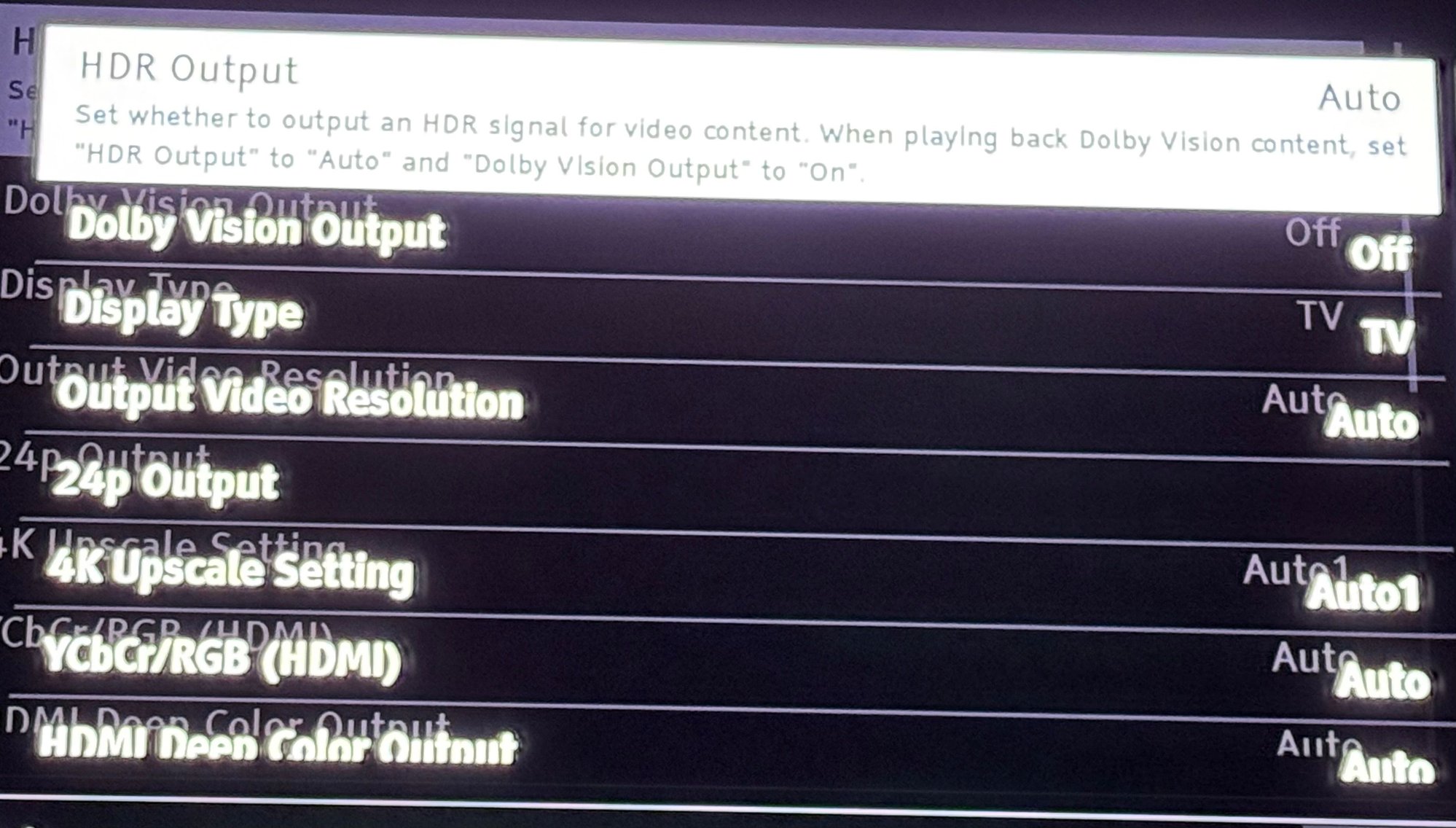
12-30-25 | 10:44 PM
#30
Thread Starter
TOTY Winner 2018 and Inane Thread Master
Joined: Dec 2003
Posts: 54,143
Received 1,728 Likes
on
1,416 Posts
From: "Are any of us really anywhere?"
Re: The 4K newbie thread.
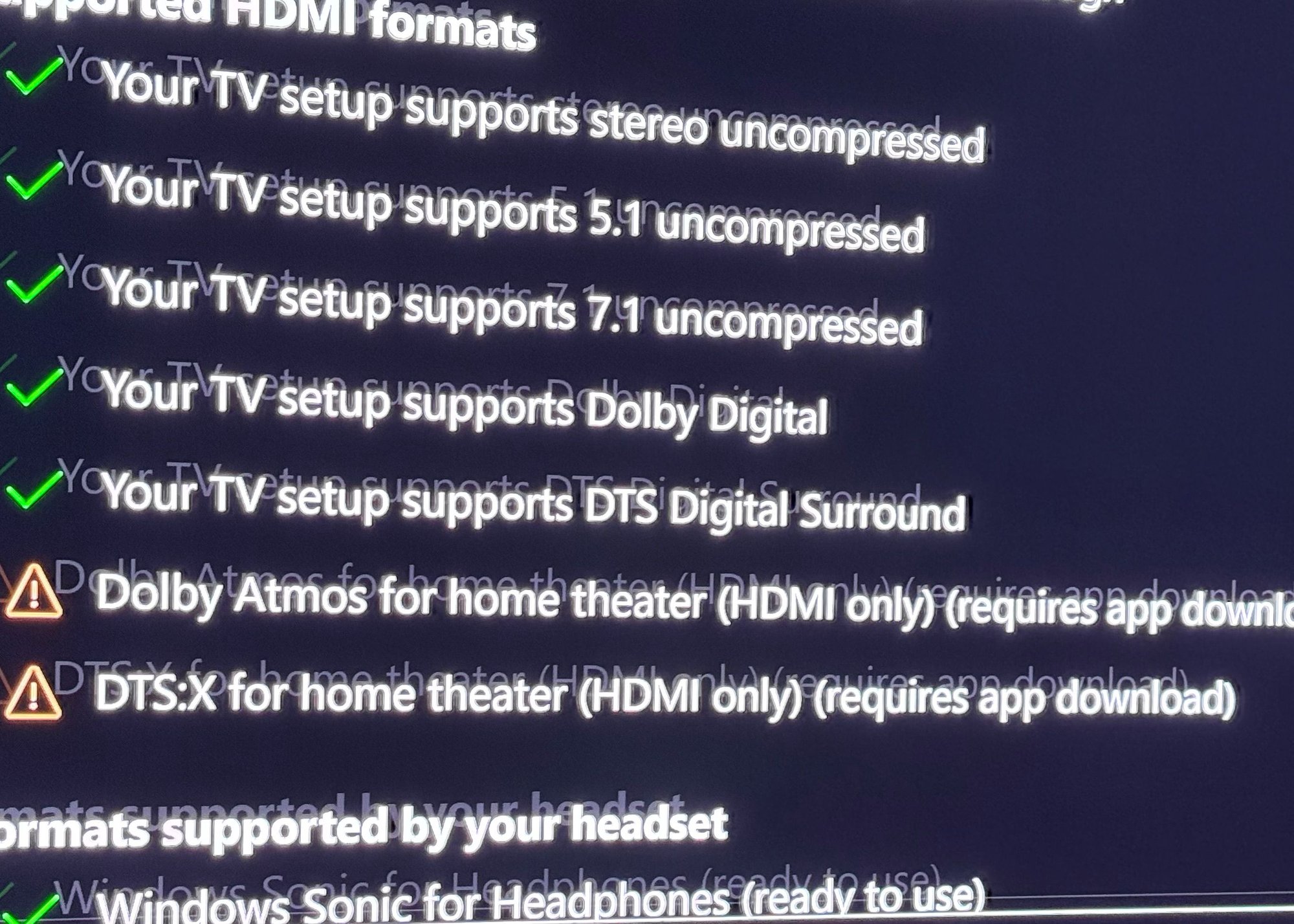
What does the orange Triangles mean?
12-31-25 | 12:16 AM
#31

DVD Talk Hero
12-31-25 | 12:30 AM
#32
DVD Talk Hero
12-31-25 | 01:50 AM
#33
Thread Starter
TOTY Winner 2018 and Inane Thread Master
Joined: Dec 2003
Posts: 54,143
Received 1,728 Likes
on
1,416 Posts
From: "Are any of us really anywhere?"
12-31-25 | 01:51 AM
#34
Thread Starter
TOTY Winner 2018 and Inane Thread Master
Joined: Dec 2003
Posts: 54,143
Received 1,728 Likes
on
1,416 Posts
From: "Are any of us really anywhere?"
12-31-25 | 03:32 AM
#35
Thread Starter
TOTY Winner 2018 and Inane Thread Master
Joined: Dec 2003
Posts: 54,143
Received 1,728 Likes
on
1,416 Posts
From: "Are any of us really anywhere?"
Re: The 4K newbie thread.
How can I tell if a disc is DV or HDR when I thought I was supposed to hit display, but that only shows what in it I’m on and time and date in upper right corner? No where does it show which video source I have on for a particular disc.
12-31-25 | 03:35 AM
#36
Thread Starter
TOTY Winner 2018 and Inane Thread Master
Joined: Dec 2003
Posts: 54,143
Received 1,728 Likes
on
1,416 Posts
From: "Are any of us really anywhere?"
Re: The 4K newbie thread.
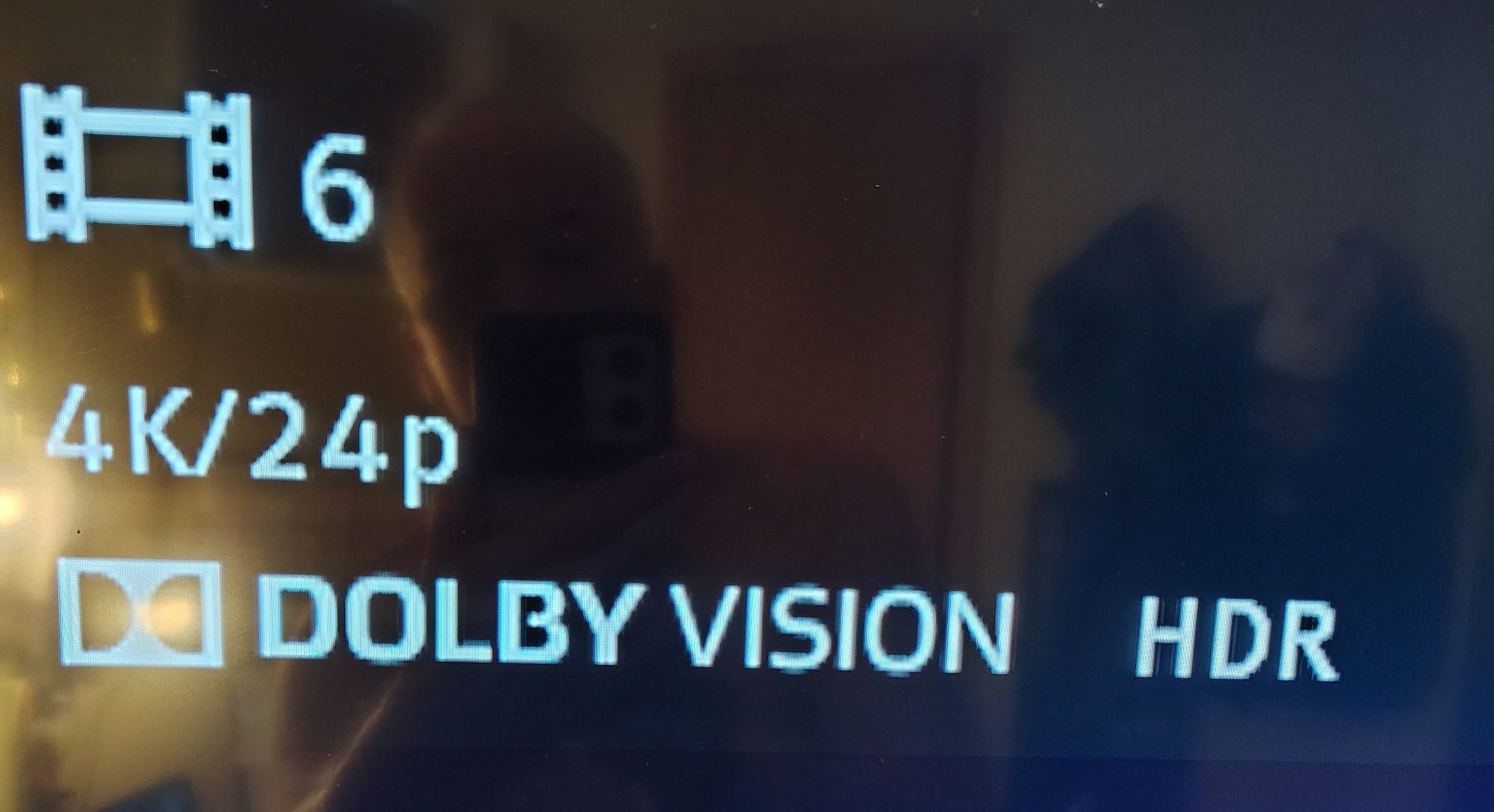
When I hit menu it does say Dolby Vision vivid or standard. It’s set to vivid option. Is that confirming the disc I have in (Shaun of the Dead) is DV? And the box of SotD says HDR10/DV. How can they be both?Thanks in advance.
Last edited by OldBoy; 12-31-25 at 03:42 AM.
12-31-25 | 11:03 AM
#37
DVD Talk Hero
 12-31-25 | 11:10 AM
#38
DVD Talk Hero
Re: The 4K newbie thread.
Or you'll have to research it. blu-ray.com had a pinned thread in their 4K movie section that would list DV discs. Also that site has a thread for each release and it might get mentioned there. The movie collection app I use, My Movies, will list it in the disc description.
Last edited by TomOpus; 12-31-25 at 11:24 AM.
12-31-25 | 11:10 AM
#39
DVD Talk Legend
Re: The 4K newbie thread.
Oldboy - You need to go to whatever app store is on your TV for those apps.
The following users liked this post:
TomOpus (12-31-25)
12-31-25 | 11:21 AM
#40
DVD Talk Hero
Re: The 4K newbie thread.
The following users liked this post:
OldBoy (12-31-25)
12-31-25 | 11:25 AM
#41
Thread Starter
TOTY Winner 2018 and Inane Thread Master
Joined: Dec 2003
Posts: 54,143
Received 1,728 Likes
on
1,416 Posts
From: "Are any of us really anywhere?"
Re: The 4K newbie thread.
12-31-25 | 11:49 AM
#42
DVD Talk Legend
12-31-25 | 04:26 PM
#43
Thread Starter
TOTY Winner 2018 and Inane Thread Master
Joined: Dec 2003
Posts: 54,143
Received 1,728 Likes
on
1,416 Posts
From: "Are any of us really anywhere?"
Re: The 4K newbie thread.
I’m getting DV or HDR but I can’t get Atmos? Seems illogical.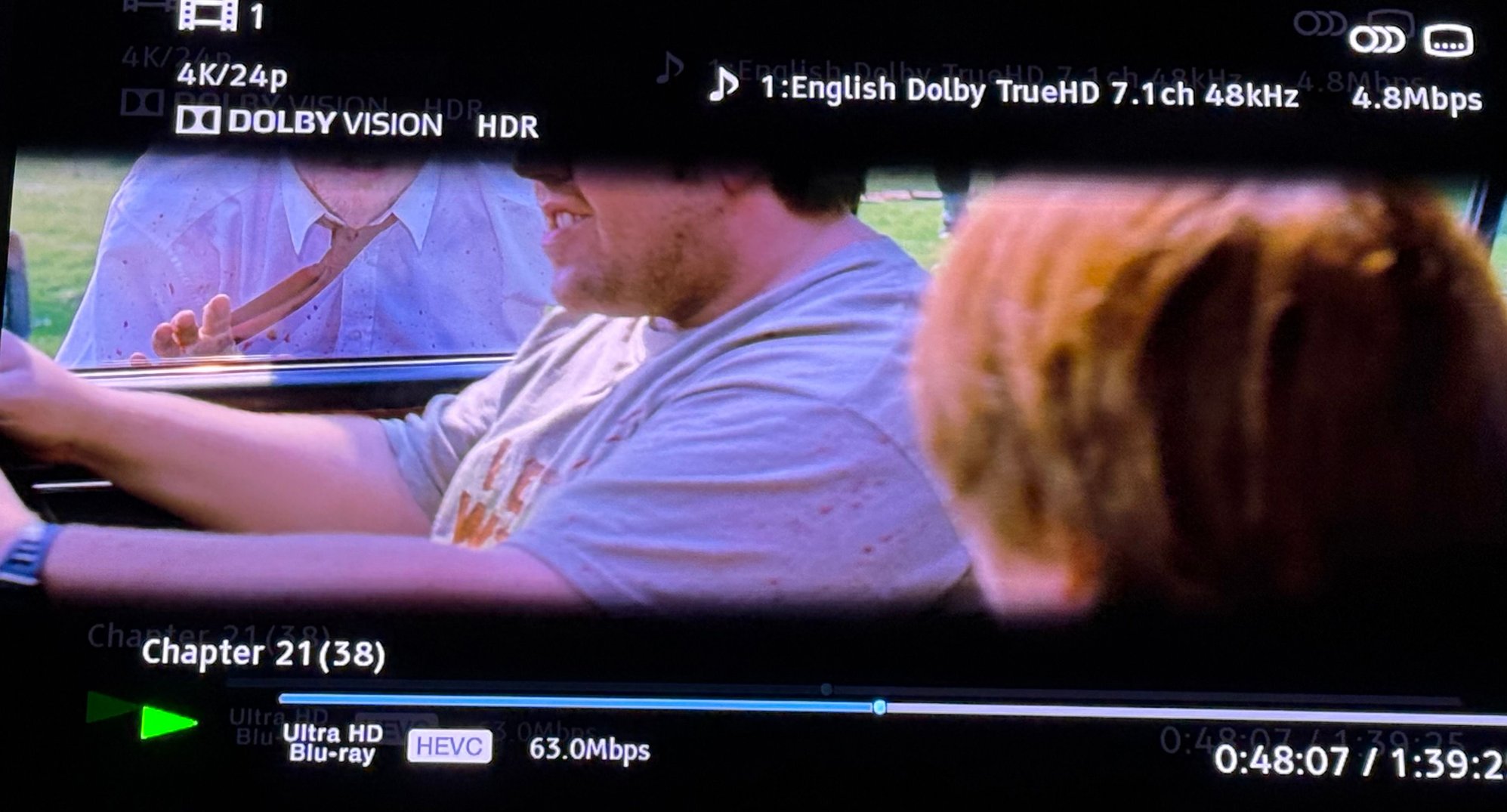
Last edited by OldBoy; 12-31-25 at 10:23 PM.
12-31-25 | 11:51 PM
#44
Re: The 4K newbie thread.
Do you have a sound system that supports Dolby Atmos?
01-01-26 | 02:34 AM
#45
Thread Starter
TOTY Winner 2018 and Inane Thread Master
Joined: Dec 2003
Posts: 54,143
Received 1,728 Likes
on
1,416 Posts
From: "Are any of us really anywhere?"
Re: The 4K newbie thread.
Yes. I have a few year old Bose soundbar and subwoofer. Supposed to decode everything. I have to set it to PCM to pick up DTS. My last player did that but it was old.
01-01-26 | 02:34 AM
#46
Thread Starter
TOTY Winner 2018 and Inane Thread Master
Joined: Dec 2003
Posts: 54,143
Received 1,728 Likes
on
1,416 Posts
From: "Are any of us really anywhere?"
Re: The 4K newbie thread.
It’s picking up the correct video though, right?
01-01-26 | 12:24 PM
#47
DVD Talk Hero
01-01-26 | 01:55 PM
#48
Thread Starter
TOTY Winner 2018 and Inane Thread Master
Joined: Dec 2003
Posts: 54,143
Received 1,728 Likes
on
1,416 Posts
From: "Are any of us really anywhere?"
Re: The 4K newbie thread.
so, how do I get this audio fixed? i have to put it to PCM in order to decode DTS. and only comes up True Digital and not Atmos or DTS:X which it is supposed to encode.
01-02-26 | 01:53 PM
#49
Re: The 4K newbie thread.
If you want to watch something in Atmos, you'll have to manually switch the player to bitstream. Since you're already going to have to do that for Dolby Vision, I guess it's not the end of the world. I'd be curious how much of a difference you even notice playing Atmos on a sound bar vs converting it to PCM. If the difference is negligible and then I'd probably be more apt to just leave it on PCM.
Your best bet might just be to buy a Panasonic player. The Panasonics have separate options for Dolby and DTS bitstreaming, as well as the ability to auto-detect Dolby Vision.
01-02-26 | 02:06 PM
#50
Thread Starter
TOTY Winner 2018 and Inane Thread Master
Joined: Dec 2003
Posts: 54,143
Received 1,728 Likes
on
1,416 Posts
From: "Are any of us really anywhere?"
Re: The 4K newbie thread.
But it is supposed to decode DTS and DTS:X as well. And, why if I put in on "auto" it wouldn't change to PCM on its own. for reference it's a Bose Soundbar 600. It changes DV and HDR on its own, I believe. How do I get it to bitstream? Thanks rocket.