


Screenshot Challenge


 02-01-06 | 12:14 PM
#254

DVD Talk Legend
Originally Posted by The Bus
Fright Night?
Once Bitten?
Once Bitten?

Once Bitten it is.
02-05-06 | 01:18 PM
#255
DVD Talk Special Edition
Joined: Jan 2002
Posts: 1,960
Likes: 0
Received 0 Likes
on
0 Posts
From: in the land of humidity
Sorry to bump the thread without actually making a contribution, which I would like very much to do.
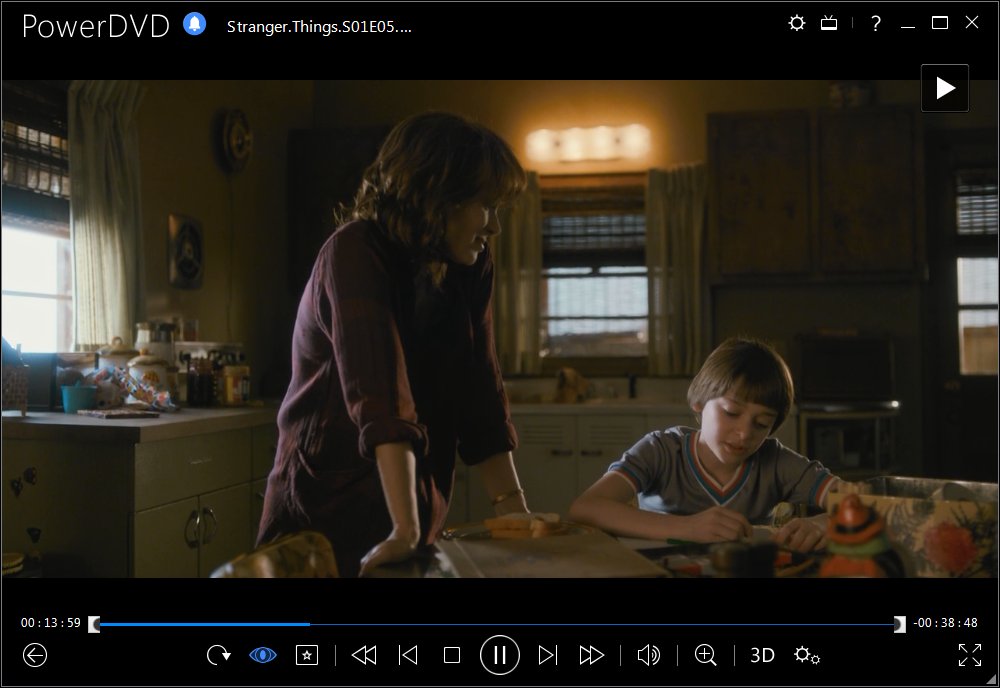
I'd like to know how to capture the screenshots. I tried just doing "printscreen", but that did a rather odd thing of capturing the program playing the dvd, but not the image itself.
matome said that PowerDVD has a screencap feature, and my comp has PowerDVD...but I couldn't find that feature ANYWHERE!
Any programs I can pick up for a 30 day free trial or some such?
Thanks!
I'd like to know how to capture the screenshots. I tried just doing "printscreen", but that did a rather odd thing of capturing the program playing the dvd, but not the image itself.
matome said that PowerDVD has a screencap feature, and my comp has PowerDVD...but I couldn't find that feature ANYWHERE!
Any programs I can pick up for a 30 day free trial or some such?
Thanks!
02-05-06 | 01:27 PM
#256
DVD Talk Hero
Originally Posted by harpo787
matome said that PowerDVD has a screencap feature, and my comp has PowerDVD...but I couldn't find that feature ANYWHERE!
Hope this helps a little.

 02-05-06 | 06:51 PM
#259
Member
Joined: Jul 2003
Posts: 217
Likes: 0
Received 0 Likes
on
0 Posts
From: Plano, TX
Originally Posted by harpo787

This is what I'm looking at...does it look familiar at all? Unfortunately, I don't see the camera icon.
D'oh!
02-05-06 | 07:13 PM
#260
DVD Talk Legend
Yeah, there should be some kind of seperate control panel at the bottom of the screen. Maybe you have it turned off inadvertantly.
Try that "settings" button.
Try that "settings" button.
02-05-06 | 07:54 PM
#261
DVD Talk Special Edition
Joined: Jan 2002
Posts: 1,960
Likes: 0
Received 0 Likes
on
0 Posts
From: in the land of humidity

There's the active screen...and as you might see, the movie is paused...but no image. It's an oddity to see, because while I'm in photoshop, the movie screen is visible, but is not part of the screen cap. It's odd man....
Oh yeah, on the far right there on the bottom, there's a camera, but it says that's angles. The other three are title menu, subtitles and languages.
Going into Settings, there's GENERAL: "About PowerDVD DX" (just a general info/credits thing) and "Restore All Defaults"; VIDEO/DISPLAY (just do you want letterbox measurements or full screen); "DVD" (which has Audio/Language/Video....clicking on Video Settings there gives me "Use hardware acceleration or Enable Eaglevision.
Thanks for all your help so far folks!
02-05-06 | 08:02 PM
#262
DVD Talk Legend
You must have some kind of weird, very basic version. Did you say it came with the computer? I remember reading on here all the time that people say how easy PowerDVD's capture feature is. Personally, I have Roxio's complete media package with CinePlayer, and it's pretty easy, too.
You might want to find the Help button on that. Most things like that come with a manual that should tell you if you can capture or not.
You might want to find the Help button on that. Most things like that come with a manual that should tell you if you can capture or not.
Last edited by The_Infidel; 02-05-06 at 08:04 PM.
02-05-06 | 08:08 PM
#263
DVD Talk Special Edition
Joined: Jan 2002
Posts: 1,960
Likes: 0
Received 0 Likes
on
0 Posts
From: in the land of humidity
Infidel: I don't think I mentioned if it came with the comp or not, but I'm fairly certain it did. Not sure if I've got a manual for it floating around...
I think I already dug around in help, but I'll double check.
I think I already dug around in help, but I'll double check.
02-06-06 | 07:05 PM
#264
DVD Talk Special Edition
Joined: Jan 2002
Posts: 1,960
Likes: 0
Received 0 Likes
on
0 Posts
From: in the land of humidity
Ok, I've managed to obtain a newer "deluxe" PowerDVD. Here's the main screen...anyone recognize it?

CLICK TO ENLARGE
Once again, I didn't seem to find any sort of screen cap option on it....
CLICK TO ENLARGE
Once again, I didn't seem to find any sort of screen cap option on it....
02-06-06 | 07:26 PM
#265

DVD Talk Legend
I have similar software and also a PowerDVD lite (free from Dell). I noticed that when I installed PowerDVD Platinum, it did not "upgrade" from lite to Platinum.
There's a button during the movie, that you can snap a screen.
There's a button during the movie, that you can snap a screen.
02-06-06 | 07:28 PM
#266
DVD Talk Special Edition
Joined: Jan 2002
Posts: 1,960
Likes: 0
Received 0 Likes
on
0 Posts
From: in the land of humidity
So where is that button (or is it not part of the software you got)? I managed to obtain the upgrade from a friend...and I STILL don't have a clue!
Laff...how frustrating! If this was an urgent thing I'd be stressin'!
Laff...how frustrating! If this was an urgent thing I'd be stressin'!

 02-06-06 | 07:59 PM
#268
Senior Member
Joined: Nov 2005
Posts: 439
Likes: 0
Received 0 Likes
on
0 Posts
From: TEXAS!!
I have Cyberlink PowerDVD too, but there is no camera button. I use the one that is buff colored (the one that looks like a DVD player.) In the little square section in the middle where there are 12 buttons (including the camera) in the pic above, mine only has 11 buttons.
02-06-06 | 08:56 PM
#269
DVD Talk Special Edition
Joined: Jan 2002
Posts: 1,960
Likes: 0
Received 0 Likes
on
0 Posts
From: in the land of humidity
Ok, I found it on the first remote...looks like a photography camera instead of a movie camera. Got it to work...super sweet!
Just an afterthought question of curiosity: the "remote control" like the ones above are not visible on top of the movie. It reduce the screen's size to call up that remote. There's a real basic one that's at the top of the screen which just has the play rewind etc. buttons. Is there a way to have the more advanced remote on top?
Again, just an afterthought...as I'd reduce the image size anyway...and now that I think of it...if I did a screen cap with that remote on top, then it would be in the way and in the capture!
Thanks so much for your patience and assistance people! I hope to contribute a few caps soon!
Just an afterthought question of curiosity: the "remote control" like the ones above are not visible on top of the movie. It reduce the screen's size to call up that remote. There's a real basic one that's at the top of the screen which just has the play rewind etc. buttons. Is there a way to have the more advanced remote on top?
Again, just an afterthought...as I'd reduce the image size anyway...and now that I think of it...if I did a screen cap with that remote on top, then it would be in the way and in the capture!
Thanks so much for your patience and assistance people! I hope to contribute a few caps soon!

 02-09-06 | 11:59 PM
#272

Originally Posted by thing-fish24
And, for extra credit:

(hint: the last one is from a Ralph Bakshi movie.)
(hint: the last one is from a Ralph Bakshi movie.)
Last edited by Brooklyn; 02-10-06 at 12:06 AM.
02-10-06 | 02:28 AM
#274
DVD Talk Special Edition
Joined: Jan 2002
Posts: 1,960
Likes: 0
Received 0 Likes
on
0 Posts
From: in the land of humidity
Sorry about the delay in getting these up...my trial photoshop died on me so I had to get a hold of the older version again. This is gonna be fun. Here ya go! (Looking at it now...seems a bit too easy...but I'll learn with time)

Movie #1

Movie #2

Movie#3

Movie #1

Movie #2

Movie#3

