


Marking threads as read
 03-26-21 | 09:13 AM
#1

Thread Starter
DVD Talk Hero
Marking threads as read
When a thread listed on a forum page has been read by me, the title changes font from bold to normal. I use that feature to see if any threads have new posts. The problem is that, when I finish reading a thread, I have to scroll all the way down to the very bottom of the page to set the thread as read, and then I have to scroll back up to click on the Back to Subforum button. That's a lot of unnecessary scrolling down and scrolling back up.
I'm using Firefox on a desktop to browse.
Can you change the location of the "thread has been read" sensor from the very bottom of the page to either the bottom of the last post or to the Back to Subforum button?
I'm using Firefox on a desktop to browse.
Can you change the location of the "thread has been read" sensor from the very bottom of the page to either the bottom of the last post or to the Back to Subforum button?
 03-26-21 | 10:00 AM
#2

DVD Talk Hall of Fame
Re: Marking threads as read
after I read a thread it does this automatically. I only mark forums as read occasionally using the function above. Using Chrome on a desktop...
The following users liked this post:
IBJoel (03-29-21)
03-26-21 | 12:29 PM
#3

DVD Talk Hero
03-29-21 | 09:50 AM
#4
Administrator
Re: Marking threads as read
Nick, I honestly don't even know where the "Mark Thread as Read" button is at the bottom. It should do that automatically.
 03-29-21 | 10:00 AM
#5
Thread Starter
DVD Talk Hero
Re: Marking threads as read
It's not a button. I have to scroll the thread page down to the very bottom, to the copyright notice, before the thread is marked as read at the forum level. If I don't scroll all the way down, the thread is not marked as read when I look at the forum.
03-29-21 | 10:18 AM
#6
DVD Talk Hall of Fame
Re: Marking threads as read
I think I know what you mean. It may be one of two things. Try refreshing the browser page and seeing if it's marked as unread then. I noticed if you do not use the "go to forum" button at the bottom and use the 'back button" to go back into the forum things are not marked as read right away unless you refresh. Otherwise, if there is another page of posts it also won't mark it as read until you go to the next page as well. Hope that makes sense or helps a bit.
03-29-21 | 11:03 AM
#7
Administrator
Re: Marking threads as read
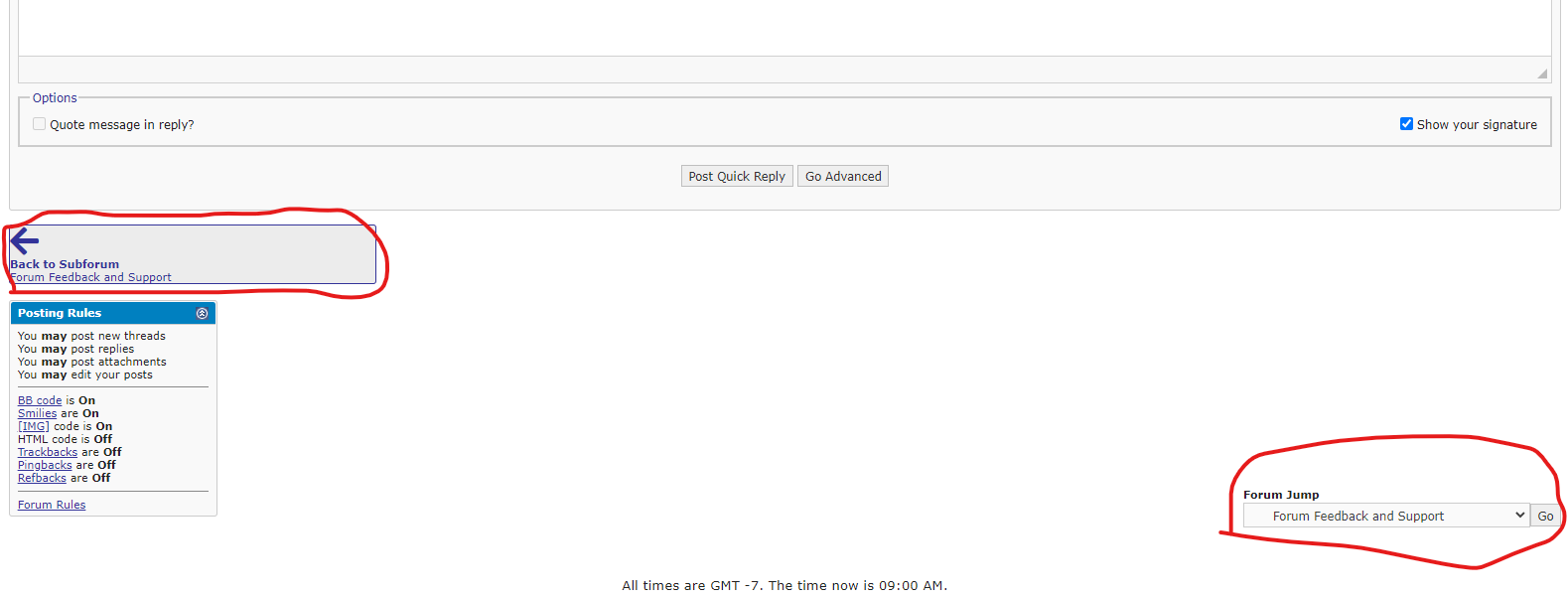
Ah OK, that's slightly unusual and I'll try to replicate on FF. In the mean time, we do have navigation button down there.
03-29-21 | 11:09 AM
#8
Thread Starter
DVD Talk Hero
Re: Marking threads as read
Yes. If I click on the "Back to Subforum" button that you circled on the left, I return to the subforum. But when I get there, the thread is not marked as read. I have to scroll all the way down to the copyright notice, and then scroll up again to click on that button.
03-30-21 | 11:40 AM
#9
Administrator
Re: Marking threads as read
Yes. If I click on the "Back to Subforum" button that you circled on the left, I return to the subforum. But when I get there, the thread is not marked as read. I have to scroll all the way down to the copyright notice, and then scroll up again to click on that button.
03-30-21 | 02:16 PM
#10
Thread Starter
DVD Talk Hero
Re: Marking threads as read
Infinite scroll is On.
03-31-21 | 10:15 AM
#11
Administrator
Re: Marking threads as read
Tired replicating on Chrome and FF with IS both on and off, but I had no problems. If you're running any extra browser software, that could be why, but I don't really know. You could try disabling IS if you're not super attached to it and see if that does the trick.
04-01-21 | 01:48 PM
#12
Thread Starter
DVD Talk Hero
Re: Marking threads as read
Turning off Infinite Scroll seems to fix the problem. Well, there's another bug found in Infinite Scroll.
04-02-21 | 11:31 AM
#13

Re: Marking threads as read
I thought "Infinite Scroll" was a bug in and of itself... I've never liked it and disable it anywhere I can.
