
#26

John Pannozzi , 04-12-18 10:31 PM
Senior Member
John Pannozzi
Senior Member
close
03-22-26
- Join DateMar 2010
- LocationRhode Island
- Posts:422
Received 48 Likes
on
36 Posts
So, almost two years later, any suggestions for the best region-free BD player out there today?
#27

The best or the best in a certain price range?
Best would still be either of the Oppos- either the base 203 or audiophile 205 version.
They'll play just about anything you throw at them and convert PAL to NTSC flawlessly if your display can't take a native PAL signal (though at this point, I'm guessing that isn't a concern for the majority of users).
For the 203- Bombay is sold out, but JVB Digital still has some in stock at $699, while 220 electronics wants $799. 220 is the only one outside of ebay that has the 205 and they want $3500.
You can get the 203 direct from Oppo now for $550 and the $205 later this summer + $18 shipping, but you would have to pay for any upgrade kits and hook them up yourself. It would be an external one, whereas if you get them from one of the two dealers above, they will be internally hardware modified.
After the Oppos, every other region free player is a compromise in some way (IMO).
Best would still be either of the Oppos- either the base 203 or audiophile 205 version.
They'll play just about anything you throw at them and convert PAL to NTSC flawlessly if your display can't take a native PAL signal (though at this point, I'm guessing that isn't a concern for the majority of users).
For the 203- Bombay is sold out, but JVB Digital still has some in stock at $699, while 220 electronics wants $799. 220 is the only one outside of ebay that has the 205 and they want $3500.
You can get the 203 direct from Oppo now for $550 and the $205 later this summer + $18 shipping, but you would have to pay for any upgrade kits and hook them up yourself. It would be an external one, whereas if you get them from one of the two dealers above, they will be internally hardware modified.
After the Oppos, every other region free player is a compromise in some way (IMO).
#28
Anyone heard of a region free Blu-ray player that after you install it, it would either blow out your TV or any of the components hooked up to the TV?
I bought a region free player Sony s-3700 about a month or two ago. Ever since I installed it crazy things have happened. My original tv lost the signal and won’t work, my computer blew, and my first s-3700 lost power and shut down. I had The player replaced. Just installed it this afternoon. Now at night time, my cable box won’t work but the player works fine. I’m losing my mind with this.
I bought a region free player Sony s-3700 about a month or two ago. Ever since I installed it crazy things have happened. My original tv lost the signal and won’t work, my computer blew, and my first s-3700 lost power and shut down. I had The player replaced. Just installed it this afternoon. Now at night time, my cable box won’t work but the player works fine. I’m losing my mind with this.
#29

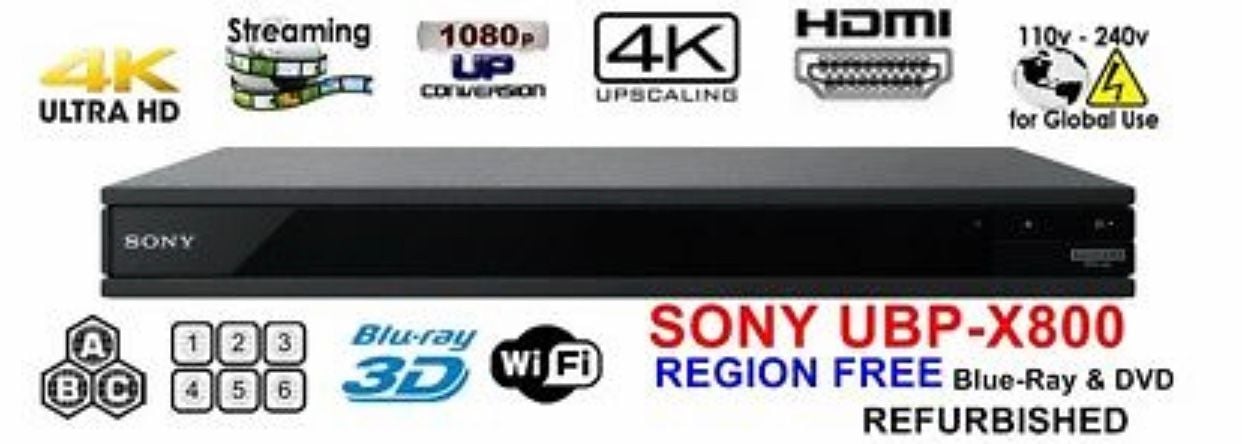
So I am back in the market for a region free blu-ray player. But given that 4k is now available I figured I would see if there are 4k players that can be made region free for BD/DVD.
So far I have found listings for the SONY UBP-X800. Any of similar models that have been made region free for BD/DVD, but are a better choice for the combination of cost and quality?
So far I have found listings for the SONY UBP-X800. Any of similar models that have been made region free for BD/DVD, but are a better choice for the combination of cost and quality?
#30

Quote:
So far I have found listings for the SONY UBP-X800. Any of similar models that have been made region free for BD/DVD, but are a better choice for the combination of cost and quality?
Anyone got an update for this? I am really getting sick of the sych issues with the Xbox One S. But I figured I would get 4K and region free for Blu if possible. Originally Posted by hdnmickey
So I am back in the market for a region free blu-ray player. But given that 4k is now available I figured I would see if there are 4k players that can be made region free for BD/DVD.So far I have found listings for the SONY UBP-X800. Any of similar models that have been made region free for BD/DVD, but are a better choice for the combination of cost and quality?
#31

Why So Blu? , 03-08-19 02:15 PM
DVD Talk Hero
Why So Blu?
DVD Talk Hero
close
03-31-26
- Join DateFeb 2012
- LocationLos Angeles
- Posts:40,330
Received 1,743 Likes
on
1,323 Posts
^ I don't believe there's a standalone for all.
#32

Nick Danger , 03-08-19 06:13 PM
DVD Talk Hero
Nick Danger
DVD Talk Hero
close
03-31-26
- Join DateMar 2001
- LocationAlbuquerque
- Posts:32,851
Received 2,343 Likes
on
1,453 Posts
I bought the Sony UBP-X800. It was close to $400 from Bombay, but there was a 5% coupon out there.
There isn't much I can say about it. I can't tell how well it does 4k because I don't have a TV that takes advantage of it. Nor do I have an other-region Blu to test it's playback capability. Bombay advertised that it can stream hundreds of sites, but it's locked down and only streams about 17.
There isn't much I can say about it. I can't tell how well it does 4k because I don't have a TV that takes advantage of it. Nor do I have an other-region Blu to test it's playback capability. Bombay advertised that it can stream hundreds of sites, but it's locked down and only streams about 17.
#33

I'm still waiting for a multi-region 4K player that supports Dolby Vision (i.e. the Panasonic UB9000). I don't think it's been modded yet.
#34
These is what the Oppo firmware from end of June 2018 addresses
Mine were purchased in April, so I'm two updates behind.
Quote:
There was another FW update after this one, so it's great to see Oppo continuing to support their out of production players.- Added the Dolby Vision “Player-led processing” mode for compatibility with recent Sony Dolby Vision TVs and firmware updates.
- Added the “Dolby Vision” mode under the HDR Setting menu, which allows the player to convert the output to Dolby Vision when possible.
- Added the “Dolby Vision Processing” setting under the HDR Setting menu. This setting allows customers to choose whether Dolby Vision processing is handled mainly by the TV or the UDP-20x player.
- Added MQA support via the USB DAC In for the UDP-205 players. (More info can be found in the “USB DAC Firmware” section on the UDP-205 support page.)
- Added the “Up-Sample DAC Input” setting under the Audio Processing menu for the UDP-205.
- General fixes and disc compatibility improvements based on recent and upcoming UHD Blu-ray releases as well as user-submitted samples.
Mine were purchased in April, so I'm two updates behind.
#36
If I may be so bold as to ask, where did you find that one listed?
#37
Quote:
it was on EBay. I made an offer of $20 less so it came to $250 something Originally Posted by Jon2
If I may be so bold as to ask, where did you find that one listed?
https://www.ebay.com/itm/SONY-UBP-X8...5-5151ec36b3d0
#38

Norm de Plume , 11-30-19 09:35 PM
DVD Talk Legend
Norm de Plume
DVD Talk Legend
close
02-25-26
- Join DateDec 2000
- LocationToronto
- Posts:20,047
Received 803 Likes
on
570 Posts
Does this X800 really play all regions of BRs and DVDs? Anyone have actual experience with it? What about DVD-Rs, CD-Rs, etc? I don't trust or like Sony.
#39
John Pannozzi , 06-02-20 09:03 PM
Senior Member
John Pannozzi
Senior Member
close
03-22-26
- Join DateMar 2010
- LocationRhode Island
- Posts:422
Received 48 Likes
on
36 Posts
Are there any region-free Blu-ray players with Roku included?
#40

OldBoy , 06-02-20 10:03 PM
TOTY Winner 2018 and Inane Thread Master
OldBoy
TOTY Winner 2018 and Inane Thread Master
close
03-31-26
- Join DateDec 2003
- Location"Are any of us really anywhere?"
- Posts:53,886
Received 1,678 Likes
on
1,384 Posts
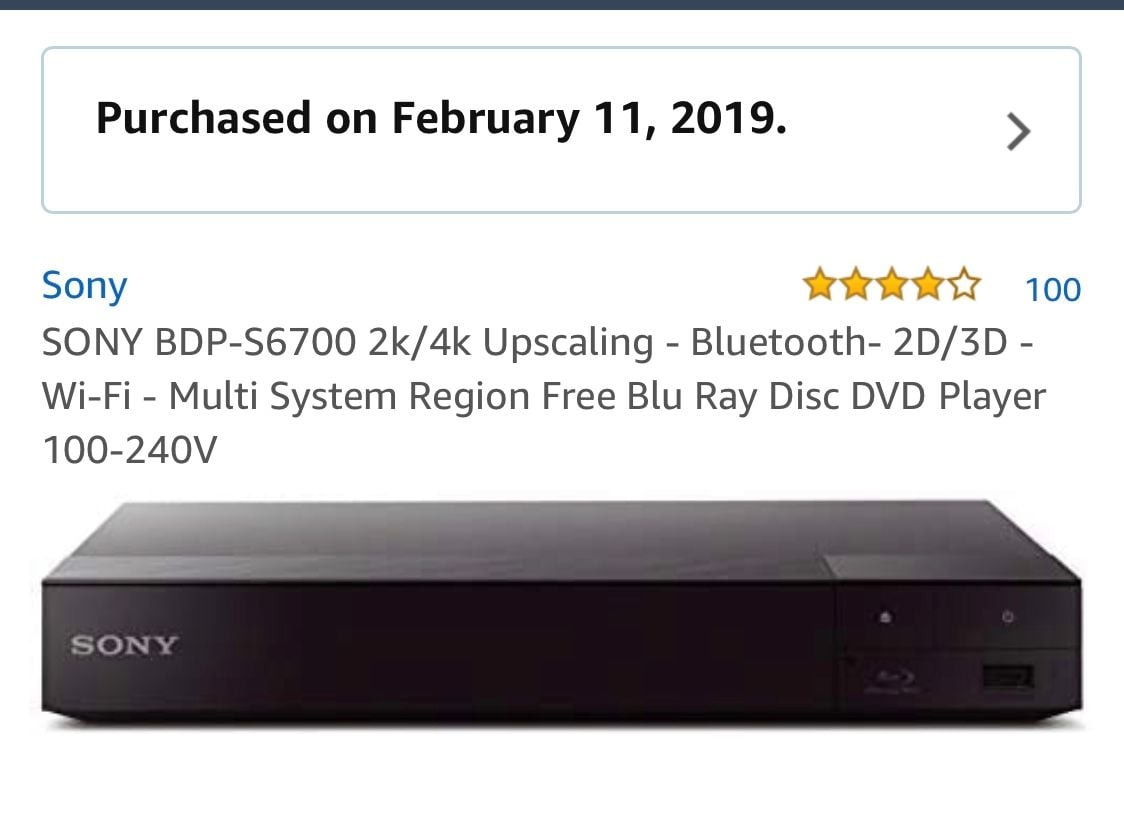
I love this one, but what does 2k/4K upscaling mean? I don’t think I ever used it. Says near 4K quality. Is this a feature I never turned on? For year and a half?
#41
I'm looking to get a region-free blu-ray player as a secondary player, so don't want to spend much.
However I need it to be able play discs with to 50hz/50i thing and convert in the player.
Are there specific brands that do not support this that I can just not bother looking at?
However I need it to be able play discs with to 50hz/50i thing and convert in the player.
Are there specific brands that do not support this that I can just not bother looking at?
#42
Why So Blu? , 06-14-20 03:01 PM
DVD Talk Hero
Why So Blu?
DVD Talk Hero
close
03-31-26
- Join DateFeb 2012
- LocationLos Angeles
- Posts:40,330
Received 1,743 Likes
on
1,323 Posts

#43
Quote:
https://www.amazon.com/gp/product/B0...SIN=B00M0UC4K2
I've heard that Sony players don't play 50i/50hz discs, or don't convert them in-player, so your tv has to be a foreign model capable of playing it. Can you confirm if you have blu-ray discs you know to be 50i that play fine?Originally Posted by Why So Blu?
This is the one I have and it plays it all:https://www.amazon.com/gp/product/B0...SIN=B00M0UC4K2
#44
Why So Blu? , 06-15-20 08:25 AM
DVD Talk Hero
Why So Blu?
DVD Talk Hero
close
03-31-26
- Join DateFeb 2012
- LocationLos Angeles
- Posts:40,330
Received 1,743 Likes
on
1,323 Posts
Quote:
I have the Spanish Blu-ray import of REC. That one should play fine on my player, but I have not confirmed it. Before this Sony region free player, I used to have one of the old Momitsu region free players until it died. That one played REC. I'll test out the REC disc on the Sony player and report back in the next day or two.Originally Posted by wahlers
I've heard that Sony players don't play 50i/50hz discs, or don't convert them in-player, so your tv has to be a foreign model capable of playing it. Can you confirm if you have blu-ray discs you know to be 50i that play fine?
#45
Quote:
Thank you.Originally Posted by Why So Blu?
I have the Spanish Blu-ray import of REC. That one should play fine on my player, but I have not confirmed it. Before this Sony region free player, I used to have one of the old Momitsu region free players until it died. That one played REC. I'll test out the REC disc on the Sony player and report back in the next day or two.
#46
I bought the Sony X800M2 a couple of weeks ago and use it with a LG 65" 4K television. The upscaling of DVD's is outstanding on the 4K television. It disregards the region code for blu-ray discs. For a player in its price range it has an unusually strong laser disc mechanism and framing that is supposed to minimize any chance for jitter. For $250 at Best Buy it is an excellent value. It also provides a separate HDMI audio out port for those who do not have a 4K capable receiver so that there can be separate streams for the video and audio data.
#47
Why So Blu? , 07-03-20 01:34 PM
DVD Talk Hero
Why So Blu?
DVD Talk Hero
close
03-31-26
- Join DateFeb 2012
- LocationLos Angeles
- Posts:40,330
Received 1,743 Likes
on
1,323 Posts
Quote:
Originally Posted by wahlers
Thank you.
Sorry for the delay.
I am watching [REC] right now, it's the Spanish BD import from way back and my Sony player decodes the film and special features at 1080/60p. Looks and sounds terrific. No judder, motion blur, or frame skip.
#48
Quote:
I am watching [REC] right now, it's the Spanish BD import from way back and my Sony player decodes the film and special features at 1080/60p. Looks and sounds terrific. No judder, motion blur, or frame skip.
Thank you for the info.Originally Posted by Why So Blu?
Sorry for the delay.I am watching [REC] right now, it's the Spanish BD import from way back and my Sony player decodes the film and special features at 1080/60p. Looks and sounds terrific. No judder, motion blur, or frame skip.
#49

I just had my mind blown. I own a Panasonic bd player, I can’t remember the model. I was able to play a Region 2 disc just by accidentally accessing the bd menu from the players home screen.
Is this common knowledge? I never would have replaced my broken region free player last year if I had known this.
Is this common knowledge? I never would have replaced my broken region free player last year if I had known this.
#50

Spiderbite , 09-04-25 02:21 PM
DVD Talk Legend
Spiderbite
DVD Talk Legend
close
03-31-26
- Join DateOct 1999
- LocationJesusland, AL
- Posts:20,514
Received 2,851 Likes
on
1,763 Posts
I just wanted to give a Region free hack for the Panasonic UHD player UB-820 and UB-9000 that I just recently found out about that include no chips, soldering or software installs!
I was astonished how easy and well it worked and also why I hadn't heard of it before now.
I know the Panny 820 is a favorite but it also appears to work across a variety of other Panasonic player so you can give it a shot.
Really easy. Load the Region B or C disc and let it get to the screen that says you don't have the correct region player or sometimes it is just the player's home screen and shows no message.
Once there, hit the STOP button once and then rapidly tap the TOP MENU button. Click it as many times as necessary but I usually find it works within 3 to 5 times. You will see the screen go black and then the title screen for your Region B or C disc loads up and plays just like normal. Easy as that.
Others have also posted that you can hit the HOME Button or DOWN Direction button once and then rapidly hit the TOP MENU button like described above and it can work that was sometimes as well.
I was astonished how easy and well it worked and also why I hadn't heard of it before now.
I know the Panny 820 is a favorite but it also appears to work across a variety of other Panasonic player so you can give it a shot.
Really easy. Load the Region B or C disc and let it get to the screen that says you don't have the correct region player or sometimes it is just the player's home screen and shows no message.
Once there, hit the STOP button once and then rapidly tap the TOP MENU button. Click it as many times as necessary but I usually find it works within 3 to 5 times. You will see the screen go black and then the title screen for your Region B or C disc loads up and plays just like normal. Easy as that.
Others have also posted that you can hit the HOME Button or DOWN Direction button once and then rapidly hit the TOP MENU button like described above and it can work that was sometimes as well.