


Problems with Wii displaying Zelda in 16:9, audio question
 11-29-06 | 09:37 AM
#1

Thread Starter
DVD Talk Limited Edition
Joined: Oct 2005
Posts: 6,341
Likes: 0
Received 0 Likes
on
0 Posts
From: Muncie, IN [Member formerly known as abrg923]
Problems with Wii displaying Zelda in 16:9, audio question
I posted this in the main Wii thread, but figured I'd post it out here in hopes of a better response.
I have a 37" Westinghouse LCD. I have the cables that came with the Wii (I get composite and component mixed up frequently, so I'll just say that and not risk confusion). I have my Wii correctly set to 16:9 widescreen. My TV does not have a widescreen display - it only has 'standard' and 'fill' - fill stretches the picture to fit the television screen completely, which - and please correct me if I'm wrong - isn't 16:9 widescreen, it's just stretching a picture out. All I get when I play Zelda is the screen in the center, with the black bars on the right & left sides of the screen. Can anyone tell me what I'm doing wrong?
Also, an unrelated question....I want to hook my Wii up so that my sound goes through my surround sound system (like my 360), but my Wii cables won't stretch down far enough to plug in. Is there some sort of extender I could buy to serve this purpose?
I have a 37" Westinghouse LCD. I have the cables that came with the Wii (I get composite and component mixed up frequently, so I'll just say that and not risk confusion). I have my Wii correctly set to 16:9 widescreen. My TV does not have a widescreen display - it only has 'standard' and 'fill' - fill stretches the picture to fit the television screen completely, which - and please correct me if I'm wrong - isn't 16:9 widescreen, it's just stretching a picture out. All I get when I play Zelda is the screen in the center, with the black bars on the right & left sides of the screen. Can anyone tell me what I'm doing wrong?
Also, an unrelated question....I want to hook my Wii up so that my sound goes through my surround sound system (like my 360), but my Wii cables won't stretch down far enough to plug in. Is there some sort of extender I could buy to serve this purpose?
 11-29-06 | 10:02 AM
#2
DVD Talk Platinum Edition
My TV does not display the Wii signal in widescreen either (Sony 51" LCD projection) over the composite cables. I have it set to 16:9 in the Wii settings. Some people say it displays fine on their widescreen sets. I guess it's a YMMV scenario. My TV detects the 16:9 signal from my DVD player and HD Satellite unit, but those are connected via HDMI and component.
As far as making the audio cables reach, just buy an extension cable (male on one end, female on the other).
As far as making the audio cables reach, just buy an extension cable (male on one end, female on the other).
11-29-06 | 10:08 AM
#3
Thread Starter
DVD Talk Limited Edition
Joined: Oct 2005
Posts: 6,341
Likes: 0
Received 0 Likes
on
0 Posts
From: Muncie, IN [Member formerly known as abrg923]
Originally Posted by SmackDaddy
My TV does not display the Wii signal in widescreen either (Sony 51" LCD projection) over the composite cables. I have it set to 16:9 in the Wii settings. Some people say it displays fine on their widescreen sets. I guess it's a YMMV scenario. My TV detects the 16:9 signal from my DVD player and HD Satellite unit, but those are connected via HDMI and component.
As far as making the audio cables reach, just buy an extension cable (male on one end, female on the other).
As far as making the audio cables reach, just buy an extension cable (male on one end, female on the other).
11-29-06 | 10:10 AM
#4
DVD Talk Limited Edition
Originally Posted by abrg923
Where would be the best place to get those cables?
11-29-06 | 10:46 AM
#6

Just RCA/Audio/Composite extension cables.
Like this: http://www.monoprice.com/products/pr...t=1#largeimage
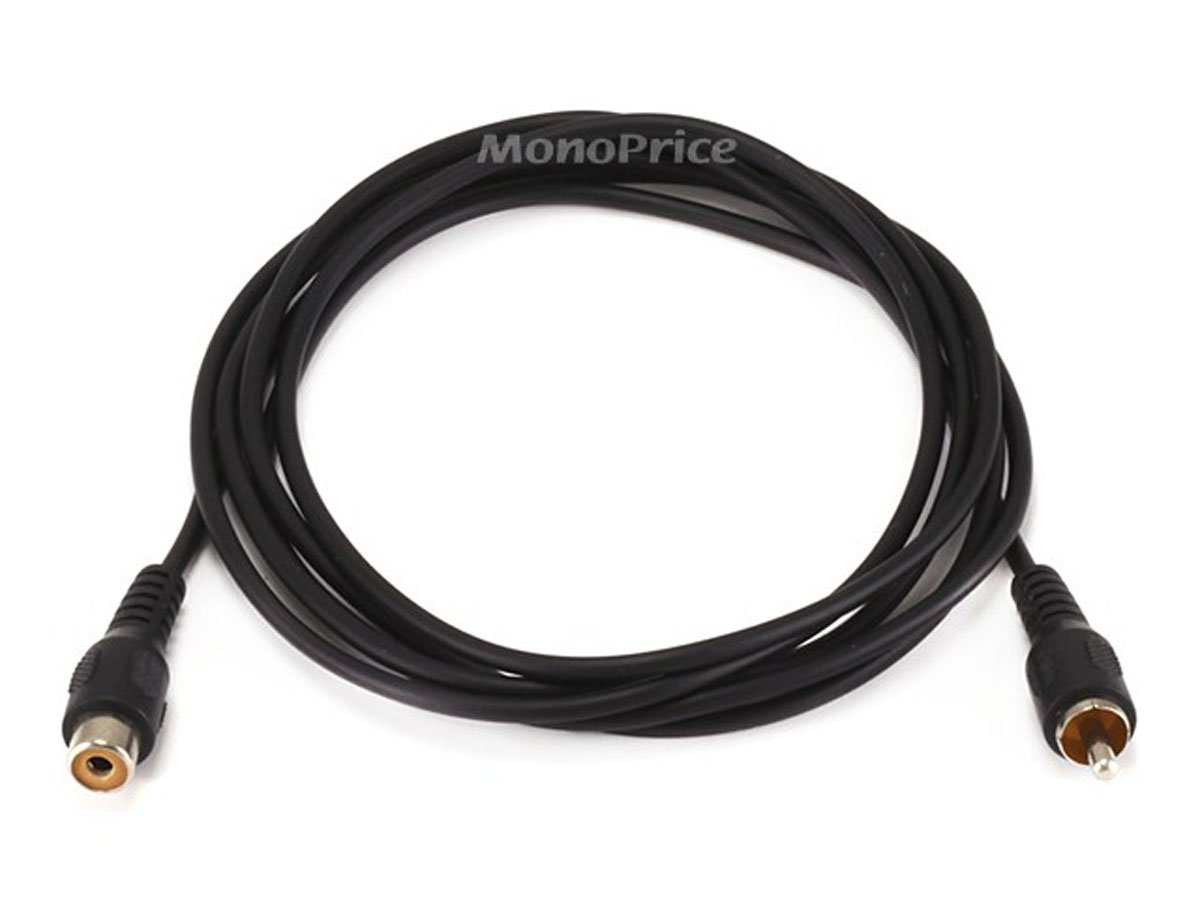
Like this: http://www.monoprice.com/products/pr...t=1#largeimage
11-29-06 | 11:08 AM
#7
DVD Talk Platinum Edition
Joined: Nov 2002
Posts: 3,530
Likes: 0
Received 0 Likes
on
0 Posts
From: WPB FL
I have a Westinghouse 32'" and had to switch it to fill mode to get the screen filled also. For some reason the sets from Westinghouse have to do this to get that full 16x9 presentation on some dvd players and consoles. I don't know how you can stand playing Zelda with those crappy composite cables that come with system. I had no choice, but moving my Wii to my Standard Def tv till I get the component cables.
11-29-06 | 11:42 AM
#8
Thread Starter
DVD Talk Limited Edition
Joined: Oct 2005
Posts: 6,341
Likes: 0
Received 0 Likes
on
0 Posts
From: Muncie, IN [Member formerly known as abrg923]
Originally Posted by Mok
I have a Westinghouse 32'" and had to switch it to fill mode to get the screen filled also. For some reason the sets from Westinghouse have to do this to get that full 16x9 presentation on some dvd players and consoles. I don't know how you can stand playing Zelda with those crappy composite cables that come with system. I had no choice, but moving my Wii to my Standard Def tv till I get the component cables.
Having said that, I am utterly disappointed in the game thus far.
11-29-06 | 12:07 PM
#11
Originally Posted by Mok
I agree, I have only played 2 hours and it's ok.
 Give it some more time. It wasn't until about 1/2 through the 2nd temple that it started to click for me.
11-29-06 | 12:18 PM
Give it some more time. It wasn't until about 1/2 through the 2nd temple that it started to click for me.
11-29-06 | 12:18 PM
#12
DVD Talk Hero
I have a Westinghouse 32'" and had to switch it to fill mode to get the screen filled also. For some reason the sets from Westinghouse have to do this to get that full 16x9 presentation on some dvd players and consoles. I don't know how you can stand playing Zelda with those crappy composite cables that come with system. I had no choice, but moving my Wii to my Standard Def tv till I get the component cables.
You have to have it plugged into component (or any cable meant for TVs with multiple resolutions, hdmi, vga, etc; ) to get 16:9 mode to fill the screen w/o using additional TV settings.
It's a compatability issue for those w/ 4:3 SDTVs (read: older TVs), since they would wind up with stretched characters.
11-29-06 | 01:30 PM
#13
Thread Starter
DVD Talk Limited Edition
Joined: Oct 2005
Posts: 6,341
Likes: 0
Received 0 Likes
on
0 Posts
From: Muncie, IN [Member formerly known as abrg923]
Originally Posted by pinata242
I found your problem Give it some more time. It wasn't until about 1/2 through the 2nd temple that it started to click for me.
Give it some more time. It wasn't until about 1/2 through the 2nd temple that it started to click for me.
Originally Posted by RichC2
It's all Widescreen TVs.
You have to have it plugged into component (or any cable meant for TVs with multiple resolutions, hdmi, vga, etc; ) to get 16:9 mode to fill the screen w/o using additional TV settings.
It's a compatability issue for those w/ 4:3 SDTVs (read: older TVs), since they would wind up with stretched characters.
You have to have it plugged into component (or any cable meant for TVs with multiple resolutions, hdmi, vga, etc; ) to get 16:9 mode to fill the screen w/o using additional TV settings.
It's a compatability issue for those w/ 4:3 SDTVs (read: older TVs), since they would wind up with stretched characters.
Anyone able to direct me where I can order the component cables?
11-29-06 | 01:48 PM
#14
DVD Talk Gold Edition
Joined: Mar 2000
Posts: 2,827
Likes: 0
Received 0 Likes
on
0 Posts
Originally Posted by abrg923
Anyone able to direct me where I can order the component cables?
11-29-06 | 01:53 PM
#15
I have a Westinghouse 42" LCD myself. I haven't hooked the Wii up to it, but I did have to set it to "Fill" when using my DVD player in 16:9, 480p mode. It would not surprise me at all if the monitor was doing the same thing with the Wii.
